Two core modes
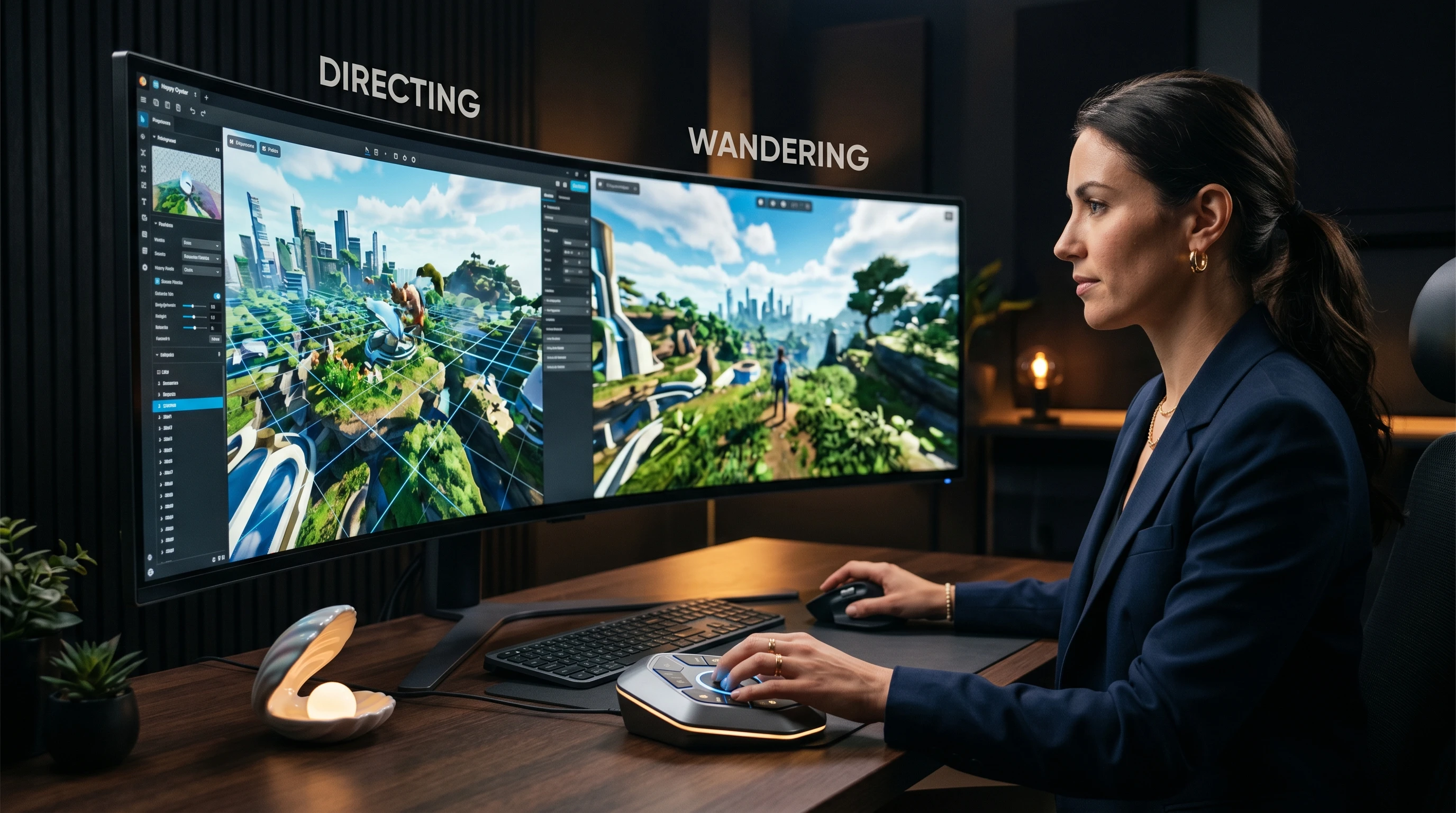
VerifiedDirecting for real-time world building and Wandering for first-person exploration
This tutorial covers both Directing and Wandering modes in Happy Oyster, explaining how to create, control, and explore 3D worlds using Alibaba's world simulator.
Key facts
Directing for real-time world building and Wandering for first-person exploration
Text prompts with real-time interaction and adjustment capabilities
Interactive 3D environments with synchronized audio-video co-generation
Recommended tool
Put what you learned into practice with a beginner-friendly AI animation workflow.
Powered by Elser.ai — use it as a practical next step after the guide.
Try AI Image AnimatorMixed signal
Core mode descriptions are verified from press coverage. Specific interface details are inferred from reported functionality since the tool is in limited early access.
Readers should expect careful wording here because public reporting confirms the topic, while some product details still need cautious treatment.
This tutorial walks through everything currently known about using Happy Oyster's core features. Since the model is in limited early access, this guide is based on confirmed reporting and official descriptions rather than hands-on testing. It will be updated as broader access becomes available.
Happy Oyster is not a single-workflow tool. It offers two fundamentally different ways to interact with 3D worlds, and choosing the right one depends on what you are trying to create.
Directing mode is for creators who want control. You build and modify a physical 3D world in real time, making adjustments to lighting, scene composition, storylines, and physical elements as the world evolves. This is the mode for game designers planning environments, film directors composing shots, or anyone who needs to shape a world to match a specific vision.
Wandering mode is for exploration. You provide a single prompt, and the model generates an expanding 3D environment that you move through in first person. The world grows as you explore it, with no fixed boundaries. This is ideal for discovering unexpected visual possibilities, testing environmental concepts, or creating explorable interactive content.
In Directing mode, you start by describing the world you want to create. The model generates an initial 3D scene based on your prompt, and then you can modify it in real time.
The key workflow steps based on reported functionality:
The real-time aspect means you are not submitting prompts and waiting for renders. Changes happen as you direct them, making this closer to a creative conversation with the environment than a batch generation process.
Wandering mode requires less upfront planning. The workflow is simpler but the output is different.
Wandering mode is particularly useful for concept exploration. Rather than designing every detail, you let the model's world evolution modeling create possibilities you might not have planned.
Writing effective prompts for a world simulator is different from writing prompts for image or video generators. See Happy Oyster Prompts for detailed prompt strategies, but here are the core principles:
If you cannot access Happy Oyster yet, Elser.ai provides creative tools for visual content workflows. The AI Animation Generator and AI Storyboard tools can handle overlapping use cases for scene planning and visual content creation.
For the full access picture, see Try Happy Oyster. For comparison with available alternatives, check Happy Oyster Alternatives.
Get tested prompts, comparison cheat sheets, and workflow templates delivered to your inbox.
FAQ
Based on reported functionality, Happy Oyster is designed as a creative tool where you describe worlds through text prompts and interact with them visually. Coding experience is not required for the core modes.
The two modes serve different purposes. Directing gives you creative control over world-building, while Wandering lets you explore generated environments in first person. Both are available as core functions of the model.
Happy Oyster targets 3D environments suitable for game development, film production, and interactive content, including both indoor and outdoor scenes with physically coherent lighting and spatial properties.